It's late. You just finished the best model you have made this year: clean topology, hand-painted textures, a turntable that loops perfectly. You post it. The likes come in. Then the message you always get arrives: "how much?"
You answer. They go quiet. The next person asks for a price list you don't have. The one after that wants to see "more like this", so you paste six links to six different sites and hope they click one.
This list ranks 10 sites on one question: which one turns the people who see your work into paying clients? If you want a studio job instead, the table below gives a different answer.
Which one is best for your goal
| Your goal | Best fit | Why |
|---|---|---|
| Paid clients and commissions | Myportfolio | Work, services with prices, Request a quote, client reviews, booking and a jobs board on one page you own |
| A job at a game or film studio | ArtStation | Where recruiters and art directors browse 3D talent |
| Letting people spin and inspect a model | Sketchfab | The best in-browser 3D viewer, and it embeds anywhere |
| A deep case study of one project | Behance | Long project write-ups, seen by agencies |
| Contracts and getting paid on the platform today | Contra | 0% commission, contracts, invoices and escrow (clients pay a fee unless you have Pro) |
| Your first paid jobs with no audience yet | Fiverr | Buyers already search there (it keeps a fee and the client relationship) |
| A full custom website you build yourself | Squarespace | Pages, a shop and a blog, if you enjoy building |
| Selling ready-made assets | ArtStation Marketplace or Gumroad | Built for selling files; Myportfolio links your shop to them |
You don't have to pick one. Myportfolio works as your link in bio, with buttons like Linktree, so it can hold all the others: set up ArtStation, Contra, Sketchfab or Behance, add each as a button on your Myportfolio page, and put your Myportfolio link in your bio. Clients see your prices first, and every other profile is one tap away.
How we ranked them
When someone lands on your page with money to spend, they're quietly trying to answer four questions, usually in under a minute:
- Can this person make what I need? Your best work, big, loading fast.
- Roughly what will it cost? A starting price, or clear levels like Basic, Intermediate and Advanced.
- Have other people been happy? Reviews from real clients.
- How do I ask? One obvious button.
Then we asked what happens after the yes: can you track the job, keep the client's messages in one place and see what's working?
The scorecard: every site on the same criteria
Yes means the site does it on its own. Partly means it can, with extra setup, a paid add-on, or only inside a marketplace. No means you would need another tool. Checked on 5 November 2026 from each site's own pages. Spot something out of date? Tell us at hello@myprtfl.io. Our row matches what Myportfolio does today.
| Site | Shows 3D work well | Services with prices | Quote requests | Client reviews | Book a call | Jobs and messages | Take payment | Seen by studios | 3D viewer |
|---|---|---|---|---|---|---|---|---|---|
| Myportfolio | Yes | Yes | Yes | Yes (verified) | Yes | Yes | Not yet | No | Yes (via Sketchfab) |
| ArtStation | Yes | No | No | No | No | No | Partly (shop) | Yes | Partly |
| Sketchfab | Partly (models) | No | No | No | No | No | Partly (store) | Partly | Yes |
| Behance | Yes | Partly | Partly | No | No | Partly | Yes (fee on Free) | Partly | No |
| Cara | Yes | No | No | No | No | No | No | Partly | No |
| Carrd | Partly | Partly (you build it) | Partly (form) | No | No | No | Partly (forms) | No | No |
| Squarespace | Yes | Partly (you build it) | Partly (form) | Partly (you add them) | Partly (add-on) | No | Yes (store) | No | No |
| Linktree | No (links) | Partly | No | No | No | No | Partly (products) | No | No |
| Fiverr | Partly (gig gallery) | Yes | Yes | Yes | Partly | Yes | Yes (20% fee) | No | No |
| Contra | Yes | Yes | Yes | Yes (ratings) | Not checked | Yes | Yes (0% commission) | Partly | Not checked |
How to read it: a site is never marked down for a job it isn't built for. "Not checked" means we could not confirm it on the site's own pages. Sketchfab doesn't need a quote form; ArtStation doesn't need a price list. For paid clients, the first six columns matter most. Fiverr does well there too, but you share the page with other sellers, pay a fee on every order, and the client stays on Fiverr.
Who wrote this: the Myportfolio team. We make Myportfolio and earn money when artists upgrade. Each section below says where other sites beat us.
1. Myportfolio
Myportfolio ranks first for paid clients because it does the most of those six jobs on one page you own.
What you get:
- Your work first: big pictures, a full-screen viewer and videos that play; 3D models turn through Sketchfab.
- Services with prices: Basic, Intermediate and Advanced levels, each with a price, delivery time and revisions.
- Request a quote: a button on every service, with a form for the budget, deadline and files.
- Verified client reviews: send a link after a job; the client writes it and you choose which show.
- Bookings and a jobs board: clients book a call, and each job moves from paid to delivered.
Price: free to start. Starter $7.97, Pro $9.97 and Premium $25.97 a month billed yearly, founder prices for the first 107 members.
Pros:
- Everything a client needs to say yes is on one page.
- Free to start, with a page live the same evening.
Cons:
- It's new, so studio recruiters don't browse it the way they browse ArtStation.
- Clients pay you directly, through your own invoice or shop; there is no checkout inside it.
Best for: winning paid clients and keeping the work on track.
2. Contra
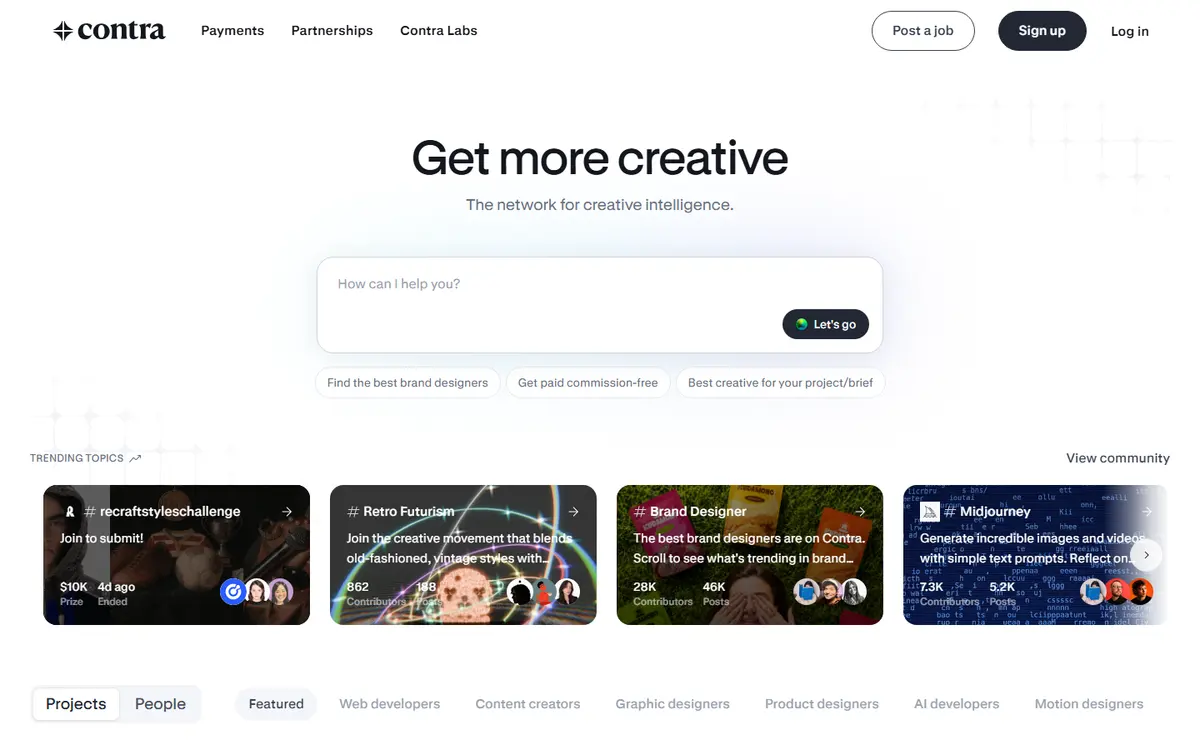
Contra is a freelance network with contracts, invoices and payments built in, and it takes no commission from what you earn.
What you get:
- Services and project pages with your work, your rating and how many times you've been hired.
- Contracts, invoices and escrow: clients pay you on Contra, by milestone or by the hour.
- Payment links and digital products you can sell directly.
- Discover and a jobs board, with Pro showing you higher.
Price: free to start, with 0% commission. On Free, the client pays a $15 fee per payment ($29 over $500). Pro is $29 a month or $199 a year and removes that fee.
Pros:
- Get paid on the platform today, with contracts and escrow.
- No commission on what you earn.
Cons:
- Most of the work on its home page is for startups and brands, so fewer clients come looking for 3D art.
- On Free, your client pays a fee on every payment.
Best for: freelancers who want contracts and payments handled inside one platform.
Use it with Myportfolio: put your Contra profile behind a button on your Myportfolio page. Clients see your work and prices first on one clean link, then pay you on Contra.
3. ArtStation
ArtStation is where the games and film industry browses. Recruiters, art directors and other artists spend real time there, and a strong page can open doors to studio jobs.
What you get:
- A portfolio in the industry's feed: projects with big images, video and turntables, shown to people who hire 3D artists.
- A job board: studios post roles there, and recruiters search profiles.
- A shop for tutorials, brushes, models and other digital products.
- ArtStation Pro: you show up higher in search, get a Pro badge and see who viewed your profile.
Price: free to start. Pro from $9.95 a month, and Pro sellers keep up to 95% of digital product sales. Studio from $29.99 a month for teams.
Pros:
- The place studios look for 3D talent.
- A big community that follows, likes and shares.
- Free to start, with a shop built in.
Cons:
- No simple way to list what you charge for custom work.
- No built-in place for a client to describe a job, so it moves to DMs and email.
Best for: being discovered by studios.
Use it with Myportfolio: add your Myportfolio link to your ArtStation profile, so a client who likes your work lands where they can see your prices and ask.
4. Sketchfab
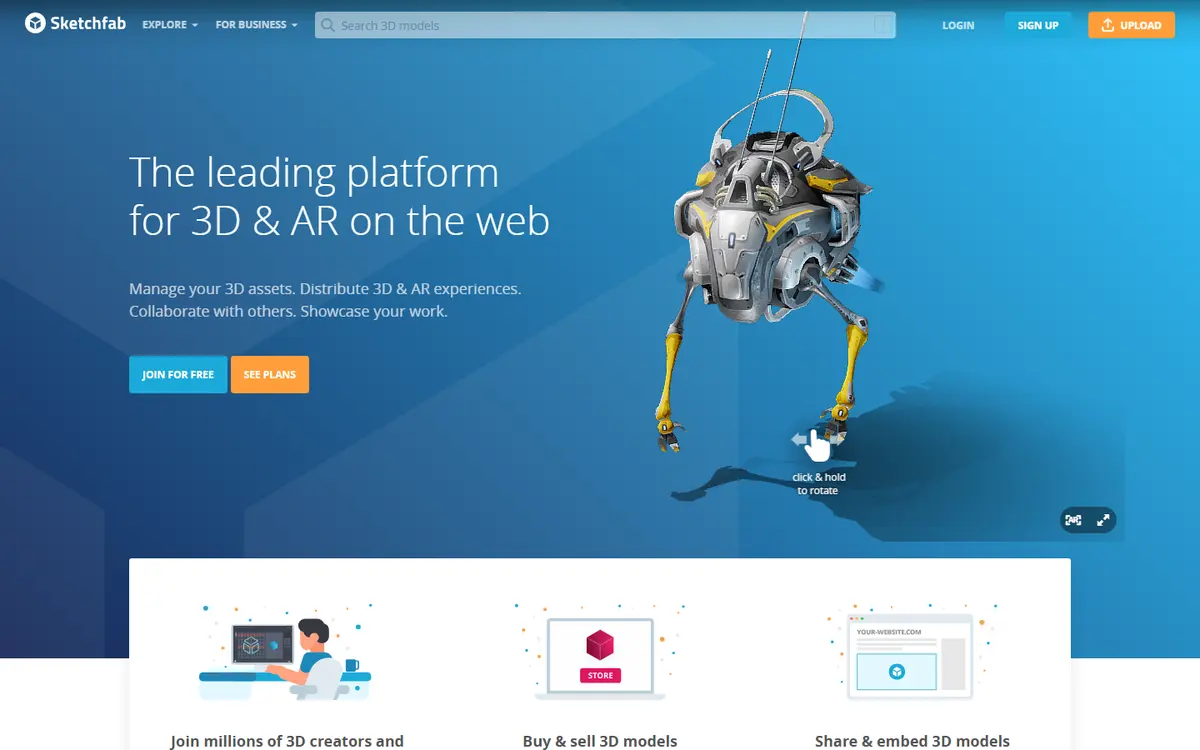
Sketchfab lets people spin, zoom and inspect your model right in the browser, and you can embed that viewer on other pages.
What you get:
- A real-time 3D viewer that works in any browser, with no app to install.
- Annotations: pin notes to parts of the model, like "hand-painted trim sheet" or "rigged jaw".
- Embeds: put the viewer on another page, including your Myportfolio page.
- AR: viewers can place the model in their room from a phone (Pro).
- A store for selling ready-made models.
Price: free for 10 uploads a month (up to 100 MB each). Pro is $180 a year ($15 a month): 50 uploads a month, 200 MB files, private and password-protected models.
Pros:
- Nothing shows off topology and textures quite like it.
- The viewer embeds almost anywhere.
Cons:
- Built for showing models, not selling your time.
- No prices for custom work and no way to request a job.
Best for: letting clients see your model from every angle.
5. Behance
Behance is Adobe's portfolio network and is excellent for case studies: one project told from sketch to final render, with process shots and a write-up. Designers, agencies and brands browse it.
What you get:
- Long project pages with images, video, text and process shots.
- Services and proposals: list what you offer and send proposals to clients.
- A job board for full-time and freelance roles.
- Behance Pro: advanced analytics, Boost to promote a project, private projects and Adobe Portfolio sites.
Price: free to publish. Free accounts pay 15 to 30% platform fees on work paid through Behance. Pro is $9.99 a month, drops that fee to 0% and includes Adobe Portfolio for a simple website.
Pros:
- Great for telling the story of a big project.
- Agencies and brands browse it, which suits product and commercial work.
- Connects with Adobe tools.
Cons:
- Built around projects first; services sit on a separate tab.
- Clients pay a platform fee unless you pay for Pro.
Best for: big project write-ups and agency clients.
6. Cara
Cara is a portfolio and social app made by artists. It does not allow AI-generated images and filters them out.
What you get:
- A feed and portfolio in one app, on the web and on phones.
- Glaze built in: protection that makes your images harder for AI models to copy.
- A jobs board with roles for human artists, including from game studios.
Price: free to join.
Pros:
- A human-made space to share work.
- A community of other artists who care about the same things.
Cons:
- A community first, so pricing and requests still happen in messages.
- Fewer clients browse it than artists.
Best for: sharing work with other artists.
7. Carrd
Carrd is cheap and quick for a single page, and you can make something beautiful if you like design.
What you get:
- One-page sites built from blocks, with full control over the look.
- Forms, embeds and analytics on Pro Standard.
- Your own domain on Pro Standard and up.
Price: free to start. Pro Lite is $9 a year; Pro Standard, with your own domain and forms, is $19 a year.
Pros:
- Very low cost.
- Full control over the look.
Cons:
- You build and keep every form, price and link up to date yourself.
- No place for reviews, bookings or tracking jobs.
Best for: a one-page site you want to build yourself.
8. Squarespace
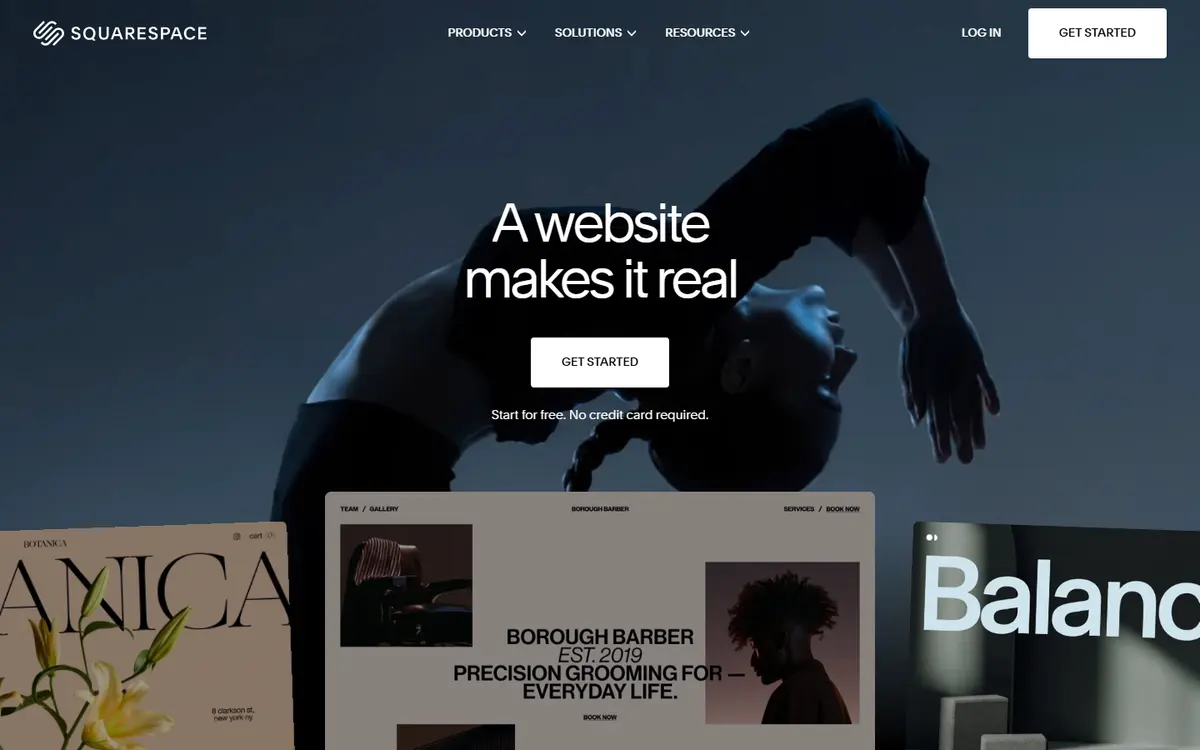
Squarespace builds a full website with a shop and a blog, using designer templates.
What you get:
- A full website with as many pages as you need.
- A shop for prints and products, plus content and memberships.
- Your own domain, free for the first year on a yearly plan.
Price: from $10 a month billed yearly (Basic), $14 (Core) and $23 (Advanced). Basic takes 2% on store sales.
Pros:
- Powerful, with many templates.
- A shop and a blog built in.
Cons:
- A real time commitment: every page, form and checkout is yours to set up and maintain.
- Costs more each month than a single page.
Best for: a full website, if you enjoy building one.
9. Linktree
Linktree is the best-known link-in-bio page. It lists your other links and is made for the bio slot on Instagram or TikTok.
What you get:
- One link that lists all your others.
- Analytics on which links get clicks.
- Selling digital products and courses from the page.
Price: free to start. Starter $7 a month billed yearly, Pro $14, Premium $30. Pro adds 0% fees on sales.
Pros:
- Quick and familiar.
- Free to start.
Cons:
- It sends people away to piece you together from other sites.
- Built for links, so your 3D work and service prices live elsewhere.
Best for: one link in a social bio.
Myportfolio works as your link in bio too, with your work and prices on the same page.
10. Fiverr
Fiverr is a marketplace where buyers already search for 3D modelers, which helps when nobody knows your name yet.
What you get:
- Gigs with up to three packages (Basic, Standard, Premium), each with a price, delivery time and revisions.
- Buyers who are already searching for 3D work.
- Orders, messages and reviews handled inside Fiverr.
Price: free to join. Fiverr keeps 20% of every order, and buyers pay a service fee on top.
Pros:
- Buyers are already there.
- Good for your first few paid jobs and first reviews.
Cons:
- You compete on price next to many other sellers.
- The fee comes off every order, and the client stays on Fiverr.
Best for: your very first paid jobs.
Set up the winning combo in ten minutes
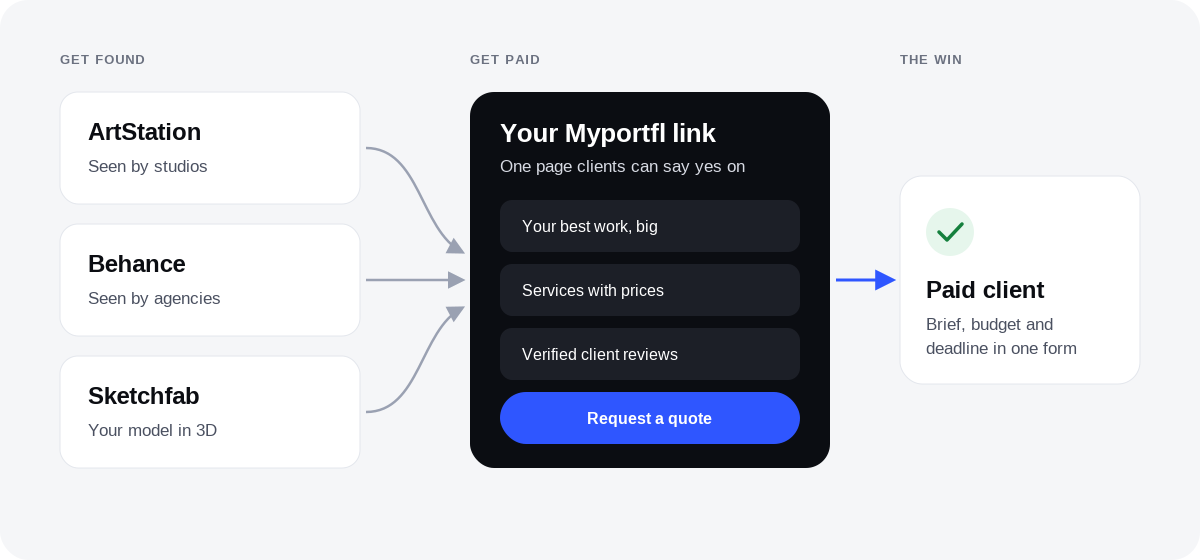
- Set up the sites that fit your goal: ArtStation for studios, Contra for contracts and payments, Sketchfab for 3D, Behance for case studies.
- Make your Myportfolio page and paste your ArtStation link, so your work comes over.
- Add one service with three levels and a price for each. Not sure what to charge? Read how to price 3D commissions for Roblox and games.
- Add your other profiles as buttons on your Myportfolio page, so everything lives in one place.
- Put your Myportfolio link in your Instagram, TikTok and X bio, and in your ArtStation profile.
- Share it. The next "how much?" already has an answer.
More for 3D artists: what changes when you move your portfolio to Myportfolio and all our guides.
Frequently asked questions
What is the best portfolio website for 3D artists?
It depends on the goal. For paid clients and commissions, Myportfolio: it shows your work, your services with prices and a Request a quote button on one link, and keeps your jobs on track after the yes. For being seen by studios, ArtStation. Many artists use both.
Is this ranking biased, since Myportfolio wrote it?
We make Myportfolio, so check our work: every site is scored on the same nine criteria in the scorecard, nobody is marked down for a job they aren't built for, and each section lists where other sites do better than us. The ranking answers one question, which site best turns visitors into paid clients. For other goals, such as a studio job or a 3D viewer, the table at the top names a different winner.
Is ArtStation good for getting commissions?
It's good for being discovered, but it has no simple way to list prices or take requests. Add a link to a page that does, so interested clients don't get lost in DMs.
Do I need my own website as a 3D artist?
Not a full website. You need one link that shows your best work, what you offer, roughly what it costs and how to hire you.
Should I show prices on my portfolio?
Yes, at least a starting price. It filters out people who expected free work and turns "how much?" into real requests. Our pricing guide shows how to set one.
Can I use Linktree as a portfolio?
Linktree lists links to your other pages. It works for a social bio, but a client still has to go elsewhere to see your work and prices.
Can I use Myportfolio for free?
Yes. The free plan gives you one page with your work, your services with prices and a Request a quote button, plus bookings, messages and client reviews. Paid plans add your own look and remove our badge.